
Have you ever stared at your phone, trying to write a caption, and every word that you thought about seemed either too cheesy or too serious to use? Or have you ever experienced those caption block moments when even using “Happy Monday” as an Instagram caption feels like a creative crisis?
Yeah… just know that you are not alone.
One faithful day, I had a serious caption block, and my Instagram draft screen just kept staring at me like, “Be quick, we need captions for these posts.” I had three pending posts that I needed to post on Instagram: a nutrition tip carousel, a motivational quote, and a casual selfie post for Friday, but the captions I had to use for those posts were nowhere to be found because I was extremely blank.
So, in a moment of caffeine-starved desperation, I turned to ChatGPT. I typed in “Write me 15 Instagram captions for a wellness post about staying hydrated. Let it be light, funny, and real.”
In seconds, ChatGPT gave me catchy, post-ready captions, and honestly, it felt like a sigh of relief and the end of my caption anxiety.
So, in this article, I’ll show you how to beat caption block and use ChatGPT to create 50 scroll-stopping Instagram captions in just 10 minutes.
Why Does This Trick Actually Work?
Using ChatGPT to generate captions doesn’t make you lazy; rather, it makes you efficient and multiplies your creativity. ChatGPT works quickly because it recognises the tone, style, pacing, humor, patterns in languages and reproduces them in ways that humans find engaging online.
According to Wonder craft AI’s 2025 Content Creation Report, over 60% of marketers now use AI tools to brainstorm ideas faster.
Typeface also discovered that 43% of marketing teams rely on AI for at least one stage of their content creation process, which is mostly brainstorming and writing.
You can’t run out of ideas if you use ChatGPT right, and this is because it allows you to skip the “staring into space” phase and go straight to refining, editing, and personalising your content.
If you think ChatGPT is just for answering questions, then you need to check out this article titled Hidden ChatGPT Features. This article literally blew my mind away.
The 10 Minutes Blueprint to Generating 50 Instagram Captions
If you’ve ever wished caption writing could be less stressful, here’s a tried-and-true, screenshot-worthy strategy that encourages engagement from followers on your Instagram page like more likes and comments.
In fact, after reading this blueprint, you’ll have 50+ captions ready for use. So take 60 seconds to skim through, merge your favourite captions, and add emojis or inside jokes to your captions.
| Time | Task | Prompt / Action | Why |
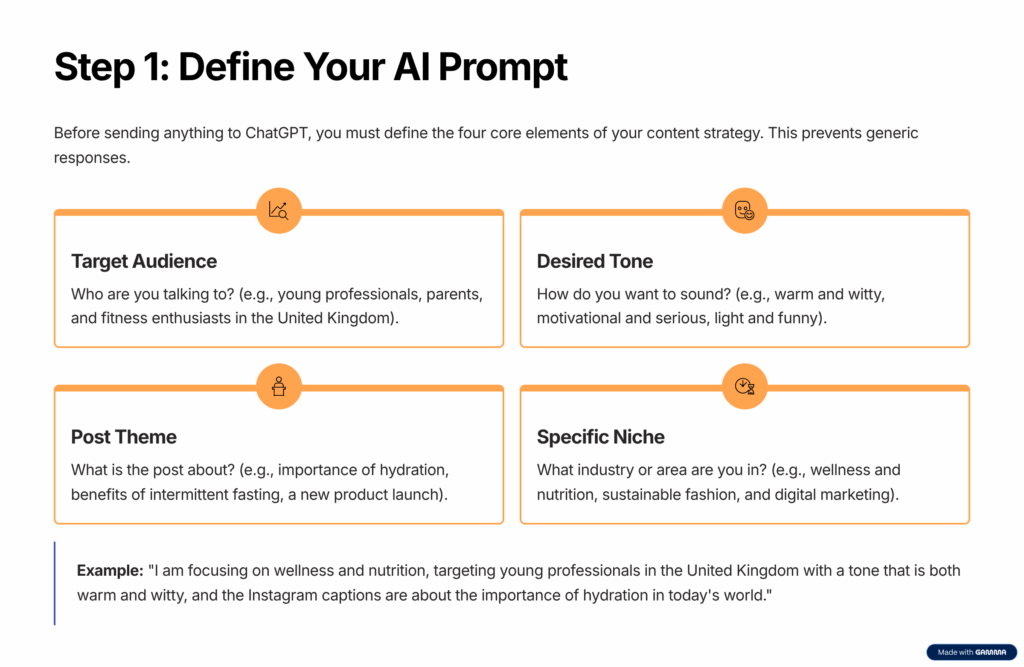
| 0:00 – 0:30 | Seed the AI | Send: “You’re a social content strategist. My niche is wellness & nutrition; my audience is young pros in Lagos. I’ll tell you a topic; you keep the voice warm, witty, and real.” | This orients the AI so it doesn’t spit generic lines. |
| 0:30 – 1:00 | Request base ideas | “Give me 12 Instagram captions about hydration/drinking more water today.” | You’ll get 12 solid captions. |
| 1:00 – 1:30 | Remix / expand | “Now give me 8 more variations (similar theme, fresh wording).” | Expand the pool. |
| 1:30 – 2:00 | Add question/ engagement captions. | “Make me 5 captions that ask a question / prompt a comment.” | Engagement = gold. |
| 2:00 – 2:30 | Throw in local trends | “Give me 5 captions referencing the United Kingdom’s local slang.” | This makes it resonate with your audience. |
| 2:30 – 3:00 | Short & long styles | “Now 5 super short (<50 chars) + 5 mini-story captions (2–3 sentences).” | Variation is your friend. |
| 3:00 – 3:30 | CTA / call to action | “Give me 5 captions that ask followers to tag, DM, share, and comment.” | You always want a CTA. |
| 3:30 – 5:30 | Quick filtering & merging | Pick your favorites, merge ideas, and discard weak ones. | Sculpt the raw ideas. |
| 5:30 – 9:30 | Fill gaps | If you’re shy of 50, ask, “Give me 10 more captions in tone X or using Y metaphors.” | Top up. |
| 9:30 – 10:00 | Final polish | Add your tone, drop an emoji here, and fine-tune the wording. | Human touch seals it. |
With these prompts, you will get up to 50 captions ready to mix, match, and use.
Prompt templates you can use
Feel free to copy these templates:
- Core prompt
Prompt
“You’re a social media strategist for {niche} accounts. My audience is young professionals in {country}. Write 12 Instagram captions about {topic}. Keep the tone warm, catchy and real.
Also, you can attach the particular Instagram picture you want to post to it.
- Variation prompt
Prompt
“Now remix those: 8 more captions (same theme), 5 question-style captions, 5 light captions, and 4 local references (slang, places, and weather).”
3.CTA prompt
Prompt example
“Write 5 captions that include a call to action (comment, tag, DM).”
Also, ChatGPT is not just writing captions but also planning full campaigns for digital marketers in minutes. Check out this article titled Top 5 AI Tools for Digital Marketing in 2025 to find out more.
Common Mistakes to Avoid
- Too generic / bland: Always include details (tone, audience, and niche) when prompting because if it is too generic, you will get basic responses from ChatGPT.
- Hallucinations or weird references: Always cross-check responses provided by ChatGPT because sometimes ChatGPT may insert odd facts.
- Over-robotic voice: Always ensure you edit the responses and add your own human touch too, to avoid your brand voice disappearing. Also, don’t stop exercising your creativity.
When you learn how to use ChatGPT effectively, you think more clearly and not just write faster. Contents that once took an hour to create would take you only ten minutes to create.
Try this strategy today. Give ChatGPT a clear prompt, hit enter, and watch 50 ideas appear faster than your coffee gets cold.
Also read: How Small Businesses use AI to compete with big brands