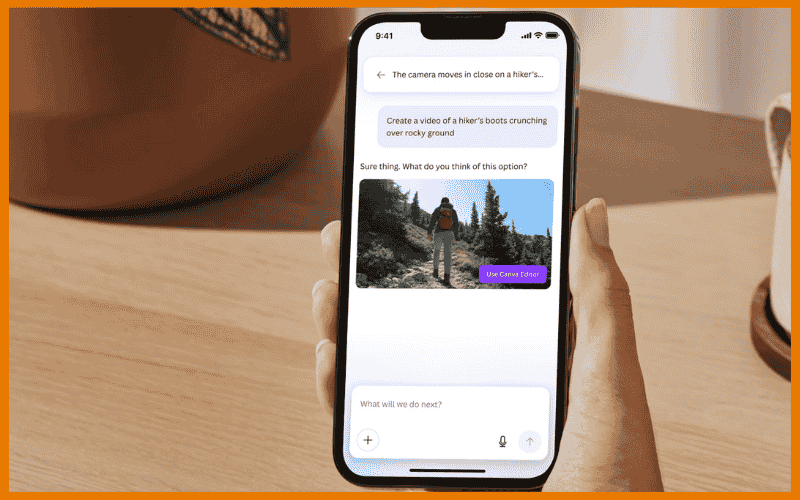
Let’s be honest, not everyone has the time or editing skills to create professional-level video content and Canva is out here shaking that table again. This time, Canva is collaborating with Google’s Veo 3 to create a fantastic new function called “Create a Video Clip” which allows you to create amazing, cinematic videos simply by inputting a few phrases.
What’s the new AI tool about?
With this new AI-powered feature, you can simply type a prompt or even speak it and Canva will generate an 8-second video clip with audio and visuals.
Whether you’re a content creator, entrepreneur, social media manager or a “I just need a cute video for this presentation” then this is for you.
You don’t need to be an expert to use this. Canva drops your clip straight into their Video Editor, so you can go wild with your branding, music and text.
Why is this new tool a big deal?
- It’s insanely easy to use. You don’t need to have any video editing experience to know how to use it.
- It’s very creative and it can think cinematic-level results in seconds.
- It’s part of Canva’s Magic Studio which people have used over 18 billion times.
- It’s safe & moderated thanks to Canva Shield because responsible AI is the only way forward.
- It’s available now for Pro, Teams, Enterprise and Nonprofit users with a sweet five clips per month to start.
But wait… can AI really make good videos?
Yes, these clips from Google Veo 3 are no joke. We’re talking smooth camera movement, synced sound and graphics that appear to have come straight from a mini-Hollywood studio.
It’s ideal for:
- Social media content
- Pitch decks
- Online courses
- Personal projects

[…] Cliff Obrecht’s message is unapologetic: AI is no longer optional for creatives but it’s essential. If you find this article interesting, you should check out this other article titled: Canva’s New AI Tool Just Made Video Creation Easier. […]