If you have ever said to yourself that you wish your apps could just control themselves and do other activities without you clicking a million times on them, then you should become a Zapier user, and it should be your top choice of AI tools.
With over 6,000 app integrations and intuitive drag-and-drop workflows, Zapier has become a household name for those seeking to automate repetitive tasks without writing a single line of code, and it can save you hours by automating the boring stuff.
I did my research, reading Zapier users’ reviews and discussion boards, and also tested the Zapier AI tool myself.
Here’s an inside look at five things Zapier users genuinely love about the AI tool and the hidden frustrations they often endure in silence.
What Zapier Users Love About Zapier
1. Its Automation Is Easy
If you can drag a file into a folder, then you can build/set up a workflow (zap). Simply click a few buttons, connect your tools, and Zapier will begin performing your tasks.
It has a very simple and no-code approach to automation, and whether you are syncing contacts between platforms, automating social media, or streamlining your sales funnel, it is easy for most Zapier users to learn how to use.
With easy setup and clear instructions, many solopreneurs and small businesses feel empowered to automate this AI tool without IT support, thereby saving hours of time.
When I first tried Zapier, I set up a Zap to text me whenever a client paid an invoice, and that notification felt like I was getting a digital high-five every single time.
2. Additionally, Zapier features a massive app integration library.
A friend of mine runs an online bakery, and she uses Shopify for orders, Gmail for communication, and Google Sheets for inventory. Zapier can now update her ingredient list the second a cake order comes in, and now she has an idea of ingredients she has available and those she needs to restock, which makes everything orderly for her.
With its compatibility across more than 6,000 apps, Zapier’s integration range is unrivalled. Zapier can connect with a lot of apps, from marketing to finance to HR to support; just name it because Zapier connects it all.
Zapier users can now appreciate that even emerging platforms are often supported by pre-built Zaps and this flexibility makes it ideal for creative businesses that use a patchwork of digital tools.
You can now sync new contacts from Facebook Ads straight into your Mailchimp list, Post new YouTube uploads to your LinkedIn automatically, Update your accounting software every time a new invoice is paid. Create Trello cards from new customer support tickets and turn Typeform survey responses into Airtable records instantly.
3. It Supports Templates and AI Prompts
You can literally type “Summarise my Slack messages every Friday,” and Zapier will set it up for you.
Recent improvements to this tool, such as AI-powered workflows and easy-to-customize templates, make it easy for Zapier users to build every automation from scratch.
Zapier will generate functioning Zaps instantly and save you precious time. With this new improvement, it is also easy for you to auto-generate a weekly “wins” report from your project management tool, Send a polite “We haven’t heard from you” email to leads who go silent after 7 days. Create a daily spreadsheet backup of your sales data. Turn your Google Calendar events into meeting agendas in Notion, and email yourself a digest of your top-performing social media posts.
This tool is perfect if you want results without fiddling for hours.
You can check out Zapier alongside other automation tools in our AI Tools Directory.
4. It Provides a Scalability for Growth
An agency owner once told me she started with one Zap to send her Instagram leads to Google Sheets. Fast-forward six months, and she now has 15 Zaps running her client onboarding, reporting, and billing, freeing up hours each week.
Zapier scales alongside you; just start small with simple Zaps and as your processes grow, you can stack multi-step workflows and conditional logic as you get more comfortable. for more complex automated systems.
This adaptability helps businesses future-proof their automation as their needs evolve.
What Zapier Users Secretly Hate About Zapier
1. It Becomes Expensive
Many Zapier users complain about its rising costs as their businesses scale. The free plan is excellent at first, but as soon as you start adding steps, tasks, or AI features, your costs shoot up.
Several ex-users have mentioned that they upgraded by accident due to confusing trials, only to discover an inflexible, no-refund billing policy. The cost control is a recurring gripe, one Zapier user stated that it becomes very expensive after 10 runs. Zapier should improve their cost structure so it becomes way better.
Also read: How To Use AI Tools For Startups Without Breaking The Bank
2. Customer Support Can Be Frustrating
Many Zapier users have complained that the customer support feels slow, robotic, and sometimes unhelpful, most especially when you need it most.
For mission-critical automations, support is described as “horrible and anything but mission critical.” Many reviewers recount long waits, canned replies, and unresolved bugs especially when Zaps break or integrations update.
3. It has a Limited Flexibility in advanced workflows.
While Zapier is excellent for simple automations, Zapier’s flow builder can feel a bit rigid when you’re doing really advanced stuff. Zapier users have noticed rigid flow builders, limited branching, and lack of some custom responses (like webhook modifications) even after years of feature requests.
In fact, power users mentioned that “Zapier’s flow builder is relatively rigid, with limited flexibility in its elements and triggers” and that agents aren’t yet sophisticated enough for multi-source, intelligent workflows.

4. It Has Bugs, Failures, and Reliability Issues
Many Zapier users rely on it for live campaign updates, email parsing, or payment notifications, and so when things go wrong, it becomes costly.
Complaints include automation failures, missed triggers, connection issues with specific apps, and confusing error messages. One user wrote, “Don’t expect your zaps to ever run, and don’t trust that you’ll get support too”.
Integration bugs, timing inconsistencies, and trial-and-error troubleshooting are common pain points, and when your entire process depends on a Zap firing at the right time, that can become stressful.
5. The Key Features are Locked Behind Pricey Plans
Key features like advanced AI tools or multi-step automation are restricted to higher-priced plans, and this has made free or basic plans feel “useless” for businesses looking to automate more than five tasks or integrate more than a few apps. There’s also disappointment over missing integrations like QuickBooks Desktop and sometimes forcing Zapier users to seek out alternatives.
Is Zapier Worth It?
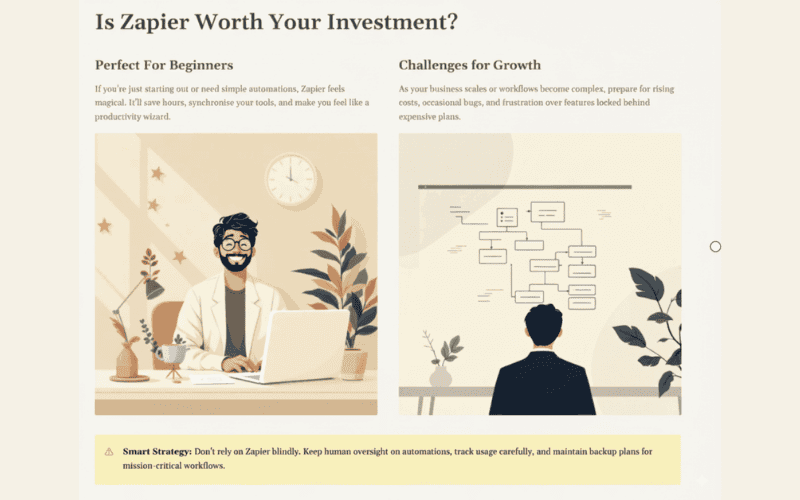
If you’re just starting out or you only need a few simple automations, Zapier can feel like magic. It will save you hours, keep your tools synchronised, and make you feel like a productivity wizard; however, if your business is scaling or your workflows become complex, be prepared for rising costs, occasional bugs, and the frustration of certain features being locked away unless you pay more.
Zapier is amazing, but don’t rely on it blindly. Keep a human eye on your automations, track your usage, and have a backup plan for mission-critical workflows.
